


Cube Cipher - Cube Solver
4.51.92K Reviews
App Specs
- Version
- 4.8.9
- Updated On
- License
- Free
- Downloads
- 10,000,000+
- Developer
- DOSA Apps
- Categories
- Educational
- Platform
- Android
Screenshots
 Analysis by AppCompare
When I pick up a scrambled cube, the most useful question isn’t always “Can I solve it?” but “What should I do next?” That is the central appeal of Cube Cipher - Cube Solver: it’s an educational puzzle game from DOSA Apps that helps turn a confusing cube into a sequence of moves you can follow. I see its strongest use as a practical bridge between being stuck and understanding how a solution unfolds, rather than as a replacement for learning to solve independently.
A solver that makes the next move feel manageable
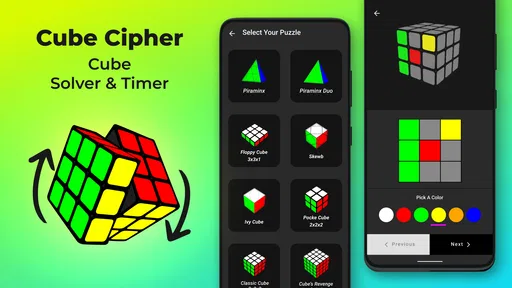
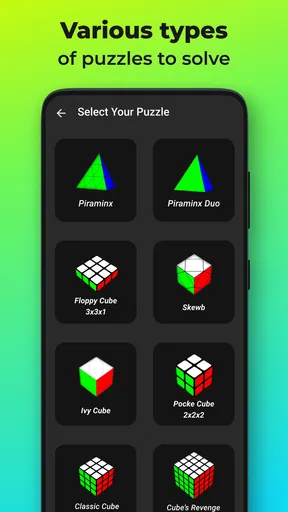
Cube Cipher is built around solving several kinds of twisty puzzles, including the familiar 2x2 and 3x3 cubes as well as larger or differently shaped puzzles such as the 4x4, Pyraminx, Skewb, Ivy Cube, and Dino Cube. That range matters most if your curiosity extends beyond one standard cube: the same app can be a starting point when a new puzzle leaves you unsure how its pieces relate.
The practical benefit of a solver is not simply reaching a solved state. It can give a beginner a way to see that a scrambled puzzle is not random chaos: each move has a place in a process. I find that especially useful when a cube is close to solved but one layer or section has become confusing. Rather than repeatedly turning faces and undoing progress, you can use a guided solution as a reset point, then pay attention to how the moves affect the puzzle.
How I would use it without becoming dependent on it
For a first attempt, I’d treat the app as a tutor rather than an automatic answer machine. Follow the solution carefully, but pause between moves to notice what changed. On a standard cube, that small habit can make the difference between copying a sequence once and gradually recognizing patterns the next time you scramble. If your goal is to learn, try to predict the next move before checking it; if your goal is simply to get a puzzle back into shape, follow the guidance and enjoy the result.
It also makes sense as a troubleshooting companion for less familiar puzzles. A Pyraminx or Skewb can feel unintuitive if you’re used to turning a cube, and switching puzzle types is a useful way to test whether you enjoy that kind of spatial problem-solving. The trade-off is that a solver can make the result feel less earned if you rely on it for every scramble. I’d use it when genuinely stuck, then attempt the next puzzle with fewer hints.
Getting Started with Cube Cipher
First things first, downloading Cube Cipher - Cube Solver is a breeze. Available for both Android and iOS, it’s just a quick tap away from your device’s app store. Once installed, you’re greeted with a clean and intuitive interface that’s easy on the eyes and even easier to navigate. The app doesn’t waste any time with lengthy tutorials—it gets you started right away, which I absolutely appreciate.
Features that Stand Out
What sets this app apart from other cube solvers is its range of features designed to cater to all skill levels. For beginners, there’s a step-by-step guide that breaks down the solving process into manageable chunks. It’s like having a personal cube coach in your pocket!
Worth Reading Before You Choose

Baby Panda World Brings Quick Play to Modern Phones, but Its Game Library Feels Busy

ESPN’s Live Game View Makes Following Close Games Easier

QuizzLand Review: A Good Fit for Short Trivia Breaks, Not Every Player

Basketball Stars: Multiplayer Is Fast, but Can It Recover When Matches Go Wrong?

WEBTOON Turns Phone Updates Into a Better Reading Routine

Link to Windows Runs on Shared Habits, Not Social Feeds
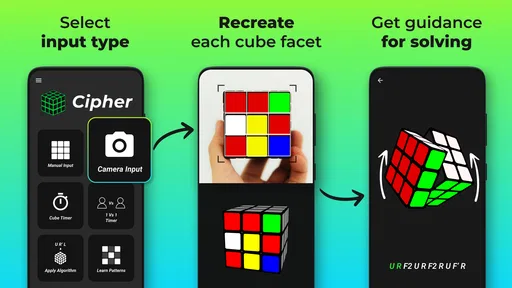
- Visual Guides: The visual aids are incredibly helpful, showing you exactly which move to make next. It’s perfect for those who learn by seeing rather than reading.
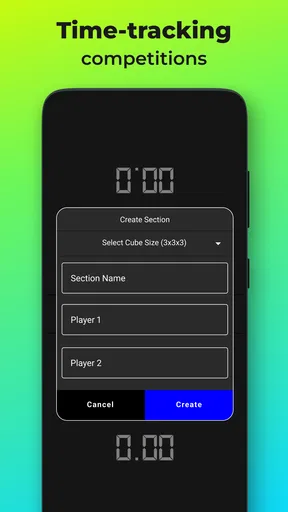
- Timer and Stats: For the competitive cubers out there, the built-in timer and stats feature allows you to track your solving speed and improvement over time.
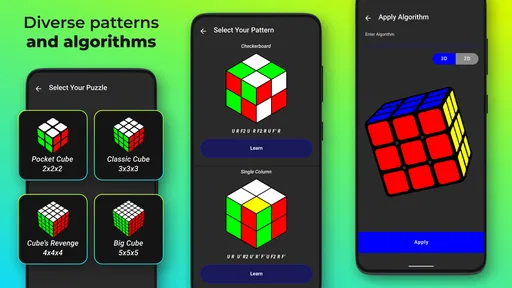
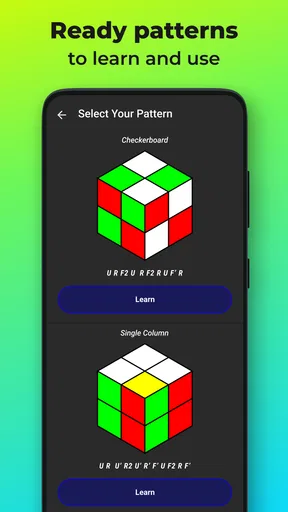
- Practice Modes: Feeling a bit rusty? The app offers several practice modes to help you hone different techniques and algorithms.
The app doesn’t just stop at the traditional 3x3 cube either. You can dive into more complex puzzles like the 4x4 and even the 5x5. Now that’s what I call a challenge!
A realistic way to fit it into a day
Imagine having a few quiet minutes between errands, or sitting with a cube while waiting for someone. You can take out one puzzle, work through a solution, and use the short session to focus on a particular move or pattern. I’d keep the physical cube beside the phone and check each turn as I go; that simple setup makes it easier to catch a mistaken turn before it throws off the rest of the sequence.
There’s also a useful distinction between solving and practicing. If I’m trying to improve, I would first attempt the puzzle unaided, then consult the solver only at the point where I lose track. That preserves the challenge while preventing a frustrating dead end. For a younger player or someone learning with a friend, taking turns predicting what a guide will ask next can make a solo solving tool feel more collaborative without needing a separate lesson plan.
Choosing between a solver and other cube tools
Compared with a printed algorithm sheet or a general puzzle tutorial, a solver is more immediately useful when you have a specific scrambled puzzle in hand. A video can explain a method in context, but it may be awkward to pause and locate the exact step that matches your cube. A written guide can be excellent for learning a repeatable method, yet it assumes you can identify the relevant case. A dedicated solver’s advantage is direct help with the puzzle in front of you; its drawback is that a sequence alone may not explain the reasoning as well as a thoughtful lesson.
That’s why I wouldn’t use this as my only resource if my goal were to become a fast, independent speedcuber. For that, structured instruction and deliberate practice are better companions, because memorizing a solution for one scramble is not the same as learning a method that works across many scrambles. But if you want to rescue a cube, explore a different puzzle type, or see how a solution is assembled, the solver has a more convenient role than a broad tutorial.
What to check before following a solution
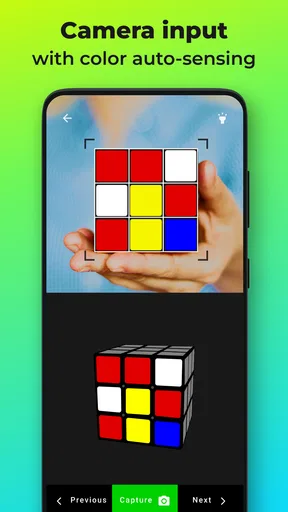
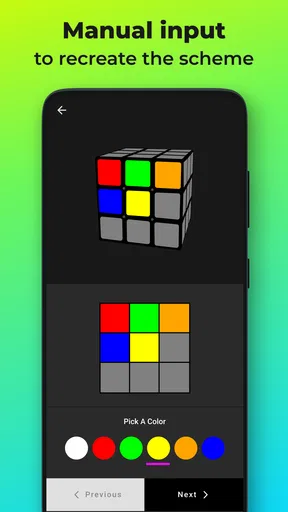
The main practical friction with any cube solver is making sure the puzzle state you enter or present is accurate. A single misread color or incorrectly represented face can make an otherwise sensible solution hard to follow. I recommend checking the cube carefully before starting, then keeping the puzzle oriented consistently while you work. If a move seems to make the situation worse, stop and recheck the state instead of rushing through the remaining instructions.
Another helpful habit is to work in small groups of moves rather than racing through the full sequence. After each short stretch, compare the physical puzzle with the on-screen guidance. This takes a little longer, but it makes errors easier to spot and helps you connect each turn with its effect. If you only want a quick answer, that extra attention can feel like effort; if you want to learn, it is part of the value.
User Experience: Smooth Sailing
One of the things I love most about Cube Cipher - Cube Solver is its seamless user experience. The app runs smoothly without any annoying lags or crashes. The developers clearly put a lot of thought into creating an app that’s not just functional, but also a pleasure to use.
While the app does offer in-app purchases, they’re not shoved down your throat. You can enjoy the core features without spending a dime, which is a refreshing change in today’s app market.
It is free to start, with optional in-app purchases ranging from around fifty cents to about a hundred dollars per item, so I’d check purchase details before confirming anything. The game is rated for Everyone and has reached over ten million installs, with an average rating of 4.4 from around a hundred and eleven thousand ratings. Those figures suggest that it has found a broad audience, but they don’t tell you whether its solving style suits you; the best test is whether you enjoy following moves and working with physical puzzles.
The current version is 4.8.9 and it requires Android 8.0 or later. It was released on December 25, 2020, so it has been around long enough to build a sizeable audience. I’d still make sure your device meets the minimum requirement before installing, especially if you’re using an older Android phone.
Where the experience may not fit
This is not the right pick if what you want is a traditional game built around levels, a story, or a competitive campaign. Its appeal is puzzle solving and learning, so the fun comes from the cube itself and how you engage with the solution. Likewise, someone who already knows their preferred solving method and wants focused speed-training tools may be better served by a specialist timer or training resource. Cube Cipher makes more sense when you need help getting unstuck or want a convenient way to explore multiple puzzle shapes.
I’d also avoid expecting a solver to teach every underlying idea automatically. Following directions can produce a solved cube without making the method memorable. The app works best when you bring a little curiosity to each move: ask what piece changed position, notice which part of the puzzle stayed intact, and try to remember the pattern next time. That takes more attention than simply copying instructions, but it turns a quick rescue into a small learning session.
Community and Support
What’s a journey without some company, right? Cube Cipher - Cube Solver has a bustling community of users who share tips, tricks, and encouragement. You can connect with other cubers through forums and social media, making it a social experience as well as a personal one.
If you ever run into any issues, the app’s support team is just a click away. They’re responsive and genuinely seem to care about solving any problems you might encounter.
Who gets the most out of it
I’d recommend it most to beginners who want a low-pressure way to see a puzzle solved, casual cubers who occasionally hit a wall, and curious players who want to try more than a standard cube. It can also suit a parent or friend helping someone learn: one person can handle the physical puzzle while the other follows the move guidance, then they can swap roles. That keeps the task concrete and gives the learner a chance to explain what they think will happen next.
On the other hand, if you dislike step-by-step guidance and prefer to work everything out unaided, a solver may take away the exact challenge you enjoy. You can still use it sparingly as a reference, but it is not essential to the pleasure of solving. I’d skip it if your main interest is a broad collection of unrelated educational games; this is specifically for people drawn to twisty puzzles and their move-by-move logic.
Final Thoughts
Whether you’re a newbie trying to learn the ropes or a seasoned pro looking for a new challenge, Cube Cipher - Cube Solver is a fantastic tool to add to your arsenal. It’s user-friendly, packed with features, and supported by a great community. So, why not give it a whirl? Who knows, you might just find yourself climbing the leaderboard in no time!
Ready to transform your cube-solving skills? Download Cube Cipher - Cube Solver today and start your journey towards mastering the art of the cube!
Pros
- Intuitive interface for easy navigation.
- Supports various cube sizes and types.
- Quick solutions with step-by-step guide.
- Offline mode available for practice anywhere.
- Visually appealing graphics enhance experience.
Cons
- Limited customization for advanced users.
- Occasional ads interrupt user flow.
- Some features require in-app purchases.
- Initial loading time can be slow.
- No community forums for user support.
FAQs for Cube Cipher - Cube Solver
What is Cube Cipher - Cube Solver and how does it work?
Cube Cipher - Cube Solver is a mobile application designed to help users solve Rubik's Cubes and similar puzzles. The app provides step-by-step solutions, interactive tutorials, and algorithms to guide you through solving various cube configurations. With its user-friendly interface, it caters to both beginners and advanced solvers.
Is Cube Cipher - Cube Solver suitable for beginners?
Yes, Cube Cipher - Cube Solver is perfect for beginners. It offers detailed guides and tutorials that break down the solving process into manageable steps. The app includes visual aids and explanations to help new users understand the mechanics of cube-solving, making it an ideal starting point for those new to puzzles.
Does the app support different types of cubes?
Absolutely. Cube Cipher - Cube Solver supports a wide range of cube types, including the standard 3x3 Rubik's Cube, 2x2, 4x4, and other variations. The app continuously updates its database to include solutions for new cube designs, ensuring comprehensive support for puzzle enthusiasts.
Are there any in-app purchases or ads in Cube Cipher - Cube Solver?
While Cube Cipher - Cube Solver is free to download, it may contain in-app purchases that unlock additional features or remove ads. The free version typically includes core functionalities, while premium options enhance the user experience with advanced tools and an ad-free environment.
How accurate and reliable are the solutions provided by the app?
The solutions offered by Cube Cipher - Cube Solver are meticulously tested and verified for accuracy. The app uses well-established algorithms and techniques recognized by the cube-solving community. Regular updates ensure that the solutions remain reliable and incorporate the latest solving strategies.


